Fochro - Remote for Chromecast1.3.7
Publisher Description


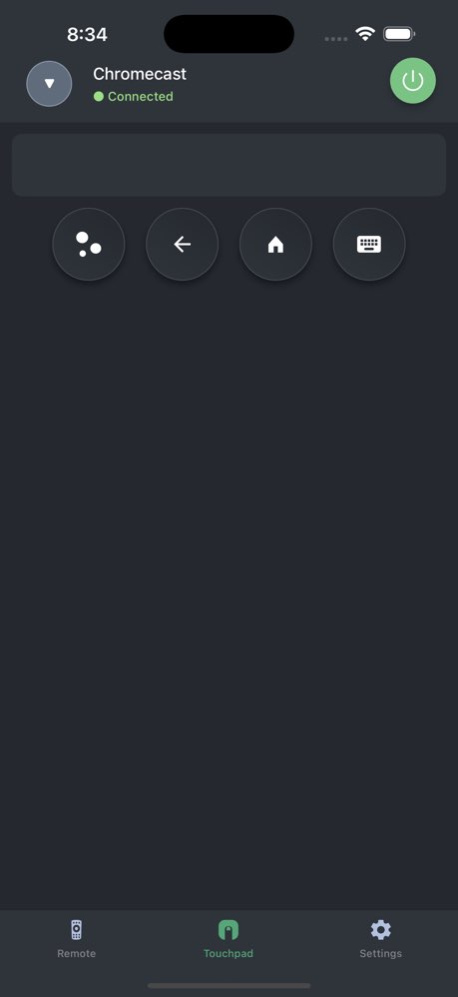

This application allows you to control the Chromecast media player with Google TV. Launch your favorite channels like Netflix or YouTube in one tap. Play movies, shows, and music. Use your phone as a fully functional remote control: navigate content, and change TV volume.
Buttons are organized as on the original hardware Remote for Chromecast. But also there is a big touchpad for more convenient navigation. There is a separate tab with a list of all applications installed on your media player.
Key features:
* Fully functional remote control;
* Automatic connection to a device;
* A large touchpad for content navigation;
* Keyboard for convenient text entry;
Connection:
Connect a phone or tablet and a TV to the Wi-Fi network. You need to set up your Chromecast device to be able to connect to it. Please refer to the in-app manual for more details.
Supported devices:
* Chromecast with Google TV (HD Version, 4K Version).
Disclaimer:
The “Remote for Chromecast” application is not an official product of Google.
Terms of Use: https://kraftwerk9.com/terms
Privacy Policy: https://kraftwerk9.com/privacy
Version History Bug fixes 1.3.7 Jun 15 Bug fixes 1.3.6 Apr 11 Bug fixes 1.3.5 Apr 2 Buf fixes 1.3.4 Feb 25 Bug fixes 1.3.3 08/22/2025 Bug fixes 1.3.2 08/01/2025 Voice search 1.3.1 02/25/2025 Bug fixes 1.3 12/19/2024 UI enhancements 1.2 06/11/2024 Buf fixes 1.1 05/13/2024 1.0 10/22/2023
About Fochro - Remote for Chromecast
The company that develops Fochro - Remote for Chromecast is KRAFTWERK 9 LTD. The latest version released by its developer is 1.3.7.
To install Fochro - Remote for Chromecast on your iOS device, just click the green Continue To App button above to start the installation process. The app is listed on our website since 2026-10-14 and was downloaded 3 times. We have already checked if the download link is safe, however for your own protection we recommend that you scan the downloaded app with your antivirus. Your antivirus may detect the Fochro - Remote for Chromecast as malware if the download link is broken.
How to install Fochro - Remote for Chromecast on your iOS device:
- Click on the Continue To App button on our website. This will redirect you to the App Store.
- Once the Fochro - Remote for Chromecast is shown in the iTunes listing of your iOS device, you can start its download and installation. Tap on the GET button to the right of the app to start downloading it.
- If you are not logged-in the iOS appstore app, you'll be prompted for your your Apple ID and/or password.
- After Fochro - Remote for Chromecast is downloaded, you'll see an INSTALL button to the right. Tap on it to start the actual installation of the iOS app.
- Once installation is finished you can tap on the OPEN button to start it. Its icon will also be added to your device home screen.
Program Details
System requirements
Download information
Pricing
Version History
version 1.3.7
posted on 2026-10-14
Version History Bug fixes 1.3.7 Jun 15 Bug fixes 1.3.6 Apr 11 Bug fixes 1.3.5 Apr 2 Buf fixes 1.3.4 Feb 25 Bug fixes 1.3.3 08/22/2025 Bug fixes 1.3.2 08/01/2025 Voice search 1.3.1 02/25/2025 Bug fixes 1.3 12/19/2024 UI enhancements 1.2 06/11/2024 Buf fixes 1.1 05/13/2024 1.0 10/22/2023
version 1.3.6
posted on 2026-06-12
Version History Bug fixes 1.3.6 Apr 11 Bug fixes 1.3.5 Apr 2 Buf fixes 1.3.4 Feb 25 Bug fixes 1.3.3 08/22/2025 Bug fixes 1.3.2 08/01/2025 Voice search 1.3.1 02/25/2025 Bug fixes 1.3 12/19/2024 UI enhancements 1.2 06/11/2024 Buf fixes 1.1 05/13/2024 1.0 10/22/2023
version 1.3.4
posted on 2026-02-25
Buf fixes
version 1.3.3
posted on 2025-08-22
Bug fixes
